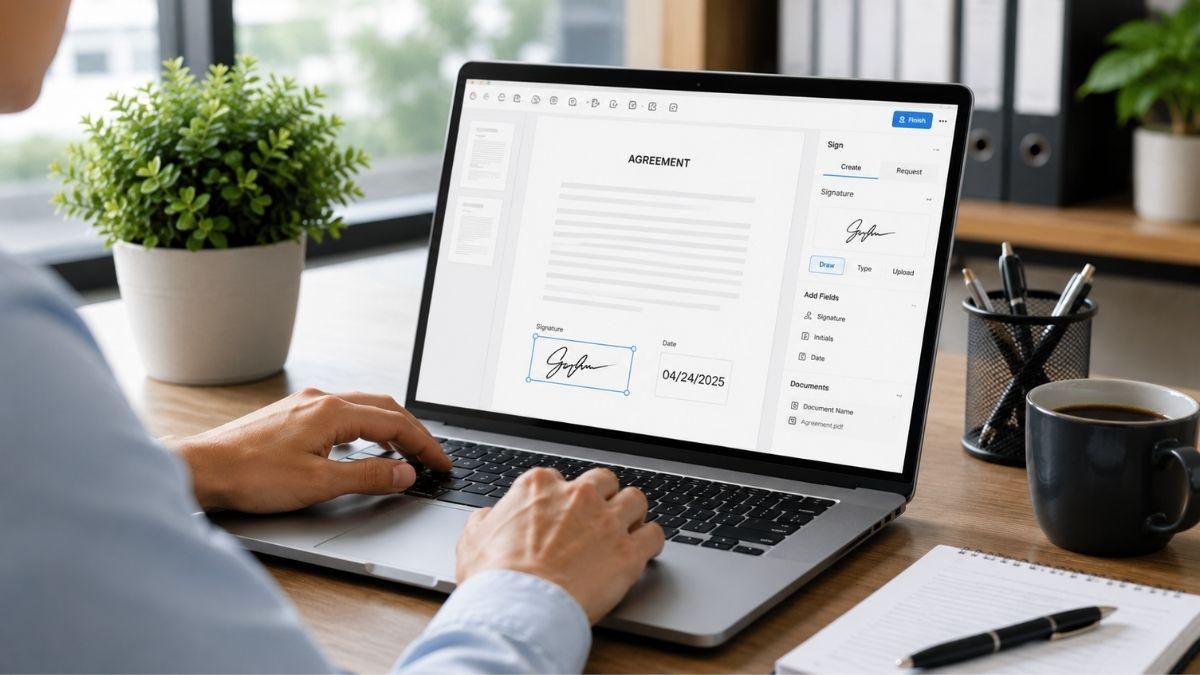
Signing documents no longer requires printing, scanning, or mailing paperwork. Businesses, freelancers, educators, and remote teams increasingly rely on electronic signatures to complete agreements faster and reduce administrative work.
DocHub simplifies the process by combining electronic signatures, document management, cloud storage integrations, and collaboration tools in one platform.
Whether you’re signing a contract, approving internal paperwork, or collecting signatures from multiple parties, DocHub helps keep workflows moving efficiently.
What Is an Electronic Signature?
An electronic signature, or eSignature, is a digital method of confirming your identity and intent to sign a document. In many countries, electronic signatures carry the same legal standing as handwritten signatures when used in compliance with applicable regulations.
Unlike traditional paper-based signing, eSignatures allow users to complete documents from virtually anywhere using a computer, tablet, or smartphone.
Why More Businesses Are Signing Documents Online
Digital document signing offers several advantages over traditional processes.
Key benefits include:
- Faster document turnaround
- Reduced paper usage
- Improved collaboration
- Secure document storage
- Easier audit tracking
- Remote accessibility
Instead of waiting days for paperwork to move between stakeholders, electronic signatures allow agreements to be completed in minutes.
How to Sign a Document Online with DocHub
DocHub provides a straightforward signing experience without requiring software installation.
The process typically involves:
- Uploading a PDF document.
- Opening the file within the DocHub editor.
- Creating or selecting a saved signature.
- Placing the signature where required.
- Adding initials or date fields if needed.
- Saving or sharing the completed document.
The entire process can be completed directly from a web browser.
Flexible Signature Options
Different users prefer different signing methods. DocHub supports several ways to create signatures.
Users can:
- Type a signature
- Draw a signature using a mouse or touchscreen
- Upload a signature image
- Save multiple signature styles for future use
This flexibility makes it easy to maintain consistency across contracts, agreements, and approval forms.
Request Signatures from Others
Electronic signatures become even more valuable when multiple parties are involved.
DocHub allows users to:
- Send signature requests
- Assign signature fields
- Track signing progress
- Monitor completion status
- Manage approval workflows
This helps eliminate delays that often occur when documents are shared through email attachments and manual follow-ups.
Built for Secure Document Signing
Security is essential when handling contracts, financial records, healthcare documents, and other sensitive information.
DocHub includes several security features designed to protect documents throughout the signing process.
These include:
- 256-bit encryption
- Two-factor authentication
- OAuth 2.0 authentication
- HIPAA compliance
- SOC 2 certification
- ESIGN Act alignment
These protections help ensure documents remain secure while maintaining legal validity.
Integrates with the Tools You Already Use
DocHub connects with popular productivity and storage platforms, making it easier to manage documents within existing workflows.
Supported integrations include:
- Google Drive
- Gmail
- Dropbox
- OneDrive
- Box
- Google Classroom
These integrations reduce manual file transfers and help users manage documents from a centralized location.
Improve Productivity with Digital Document Signing
The shift to electronic signatures is about more than convenience. It helps organizations reduce delays, improve efficiency, and create more streamlined document workflows.
DocHub combines document signing, collaboration, cloud integrations, and security features into a single platform. Whether you’re signing a single agreement or managing complex approval processes across multiple teams, DocHub provides the tools needed to complete documents faster and with greater confidence.