Working with PDF files has become a routine part of modern life.
Whether you’re reviewing contracts, sharing reports, studying research materials, or managing invoices, PDFs remain one of the most widely used document formats across industries. However, simply viewing a PDF is no longer enough for today’s fast-paced digital environment.
Modern PDF management tools provide far more than basic document viewing. They allow you to edit content, collect signatures, convert files, organize large document collections, and collaborate with others more efficiently.
As businesses, schools, and remote teams continue embracing digital workflows, having the right PDF solution can save valuable time while improving accuracy and productivity.
The Importance of Effective PDF Management
Managing documents may seem straightforward until you start dealing with multiple files, revisions, approvals, and deadlines. Without the right tools, simple tasks can quickly become repetitive and time-consuming.
You may regularly need to:
- Sign contracts
- Review reports
- Annotate proposals
- Convert scanned documents
- Organize project files
- Share secure information
Traditional workflows often involve moving documents between several programs. This can lead to formatting issues, lost information, and unnecessary delays. Modern PDF management software eliminates many of these problems by allowing you to work directly within the document itself, creating a more streamlined and organized process.
Common PDF Tasks in Everyday Work
PDF tools support a wide range of daily activities across education, business, and personal use. Understanding these common tasks can help you identify which features are most valuable for your workflow.
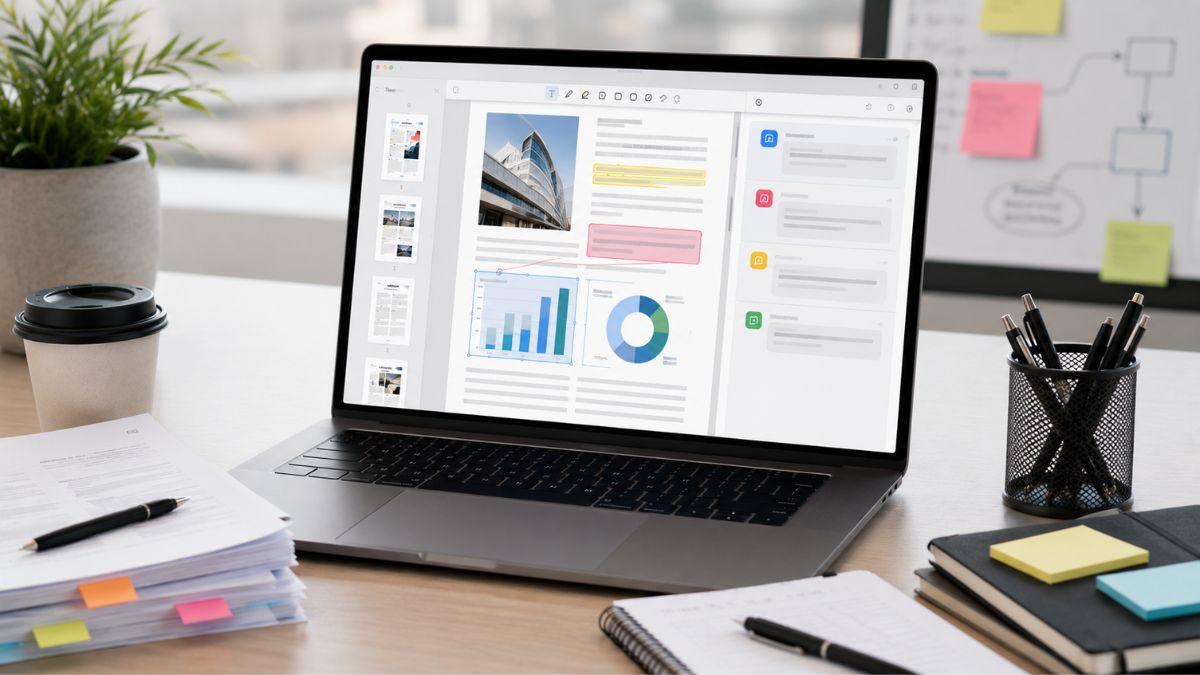
Reviewing and Annotating Documents
Document review is one of the most common uses for PDF software.
If you’re a student, you may highlight important sections of research papers and lecture notes. If you’re a professional, you may need to review contracts, reports, or project proposals with colleagues.
Popular annotation tools include:
- Text highlighting
- Sticky notes and comments
- Underlining
- Drawing and markup tools
- Collaborative review features
These capabilities make it easier to provide feedback, track revisions, and keep important information organized.
Editing PDF Content
Many people still believe PDFs cannot be edited easily. Today’s software proves otherwise.
Modern PDF editors often allow you to:
- Modify text
- Replace images
- Update hyperlinks
- Edit forms
- Adjust page layouts
Instead of recreating documents from scratch, you can make precise edits while preserving the original formatting, saving both time and effort.
Filling Out and Signing Forms
Digital signatures have become a standard requirement in many industries.
Rather than printing, signing, scanning, and emailing paperwork, you can complete the entire process electronically.
Common examples include:
- Employment agreements
- Client contracts
- Vendor forms
- Approval documents
- Legal paperwork
This approach speeds up approval cycles and reduces administrative burden.
Converting Files Between Formats
File conversion remains one of the most valuable PDF capabilities.
Organizations frequently need to convert PDFs into:
- Word documents
- Excel spreadsheets
- PowerPoint presentations
- Image formats
This flexibility allows information to be reused and updated without manually recreating content.
Managing Multiple Documents
As projects grow, document organization becomes increasingly important.
PDF management tools help you:
- Merge files
- Split documents
- Rearrange pages
- Remove unnecessary sections
- Compress large files
These features make document management simpler and improve file-sharing efficiency.
Features Professionals Rely On
Modern PDF platforms continue evolving to meet the needs of today’s digital workforce. Many solutions now combine multiple productivity features into a single application.
Common features include:
- PDF editing
- Annotation tools
- Form creation and completion
- Digital signatures
- OCR (Optical Character Recognition)
- PDF-to-Word conversion
- PDF-to-Excel conversion
- Document merging and splitting
- Password protection
- Permission controls
- Cloud storage integration
- AI-assisted document summaries
Having these tools available in one place can reduce workflow complexity and improve overall productivity.
Benefits for Different Types of Users
Different users have different document management needs. Fortunately, modern PDF software offers advantages across a wide range of professions and use cases.
Students
Students often manage large volumes of educational material.
Benefits may include:
- Organizing lecture notes
- Highlighting research content
- Annotating study materials
- Accessing documents across devices
This can help improve study efficiency and information retention.
Freelancers
Freelancers regularly exchange contracts, invoices, and proposals with clients.
PDF tools can help you:
- Obtain approvals faster
- Maintain professional documentation
- Organize client records
- Simplify communication
As a result, you can spend less time on administrative work and more time serving clients.
Small Businesses
Small businesses often need cost-effective ways to improve efficiency.
PDF software supports operations by helping teams:
- Edit documents quickly
- Secure sensitive information
- Standardize processes
- Reduce paperwork delays
These efficiencies can have a meaningful impact over time.
Remote Teams
Collaboration remains a critical challenge for remote organizations.
Shared PDF workflows allow teams to:
- Leave comments
- Suggest edits
- Track revisions
- Reduce excessive email communication
This often leads to faster decision-making and smoother project execution.
Key Drawbacks You Should Know About
Although PDF management tools provide numerous benefits, it is important to evaluate potential limitations before selecting a solution.
Some common considerations include:
- Premium features often require paid subscriptions.
- OCR accuracy depends on scan quality.
- Complex file conversions may occasionally affect formatting.
- New users may face a learning curve.
From another perspective, not every individual or organization requires advanced functionality. If you only occasionally work with PDF files, a basic solution may be sufficient. Evaluating your needs carefully can help ensure you invest in the right platform.
The Future of PDF Workflows
PDF technology continues evolving as organizations seek faster and smarter ways to manage information. Artificial intelligence and cloud-based collaboration are reshaping how users interact with documents.
Emerging innovations include:
- AI-powered document summaries
- Intelligent search capabilities
- Automated workflow routing
- Smart document categorization
- Enhanced collaboration environments
These advancements are helping transform PDFs from static files into intelligent productivity tools that support faster decision-making and more efficient communication.
Why This Matters
Whether you’re a student, freelancer, business owner, or remote worker, effective PDF management can significantly improve your daily workflow.
By simplifying document editing, organization, collaboration, and security, modern PDF tools help reduce repetitive tasks and improve productivity. If you’re looking for ways to streamline document management, consider exploring the resources available through PDX Expert.
Be sure to browse their recommendations for additional productivity solutions and gift ideas that can help create a more organized and efficient workspace.