PDFs have become the standard format for sharing contracts, reports, invoices, presentations, and academic materials.
While viewing PDFs is easy, managing them efficiently often requires more advanced tools. Students, professionals, freelancers, and remote workers often need more than a basic PDF reader to handle everyday document tasks.
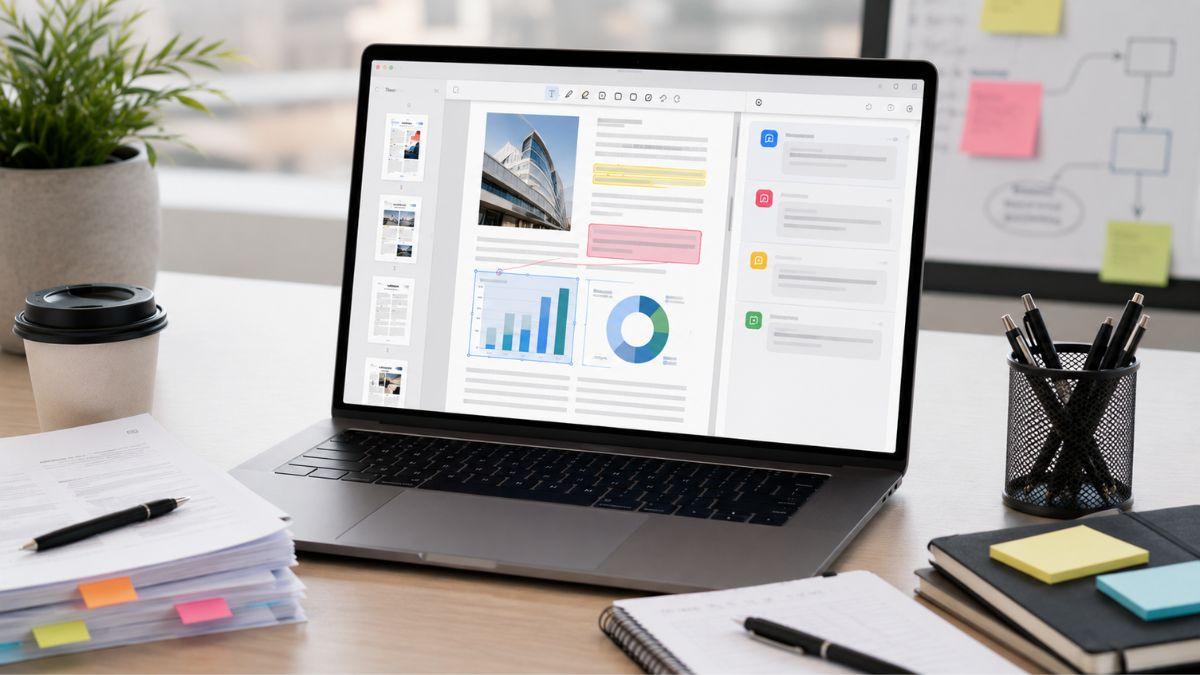
PDF Expert Premium addresses these needs with a complete set of PDF management features in a user-friendly interface. It allows users to edit, annotate, sign, organize, and manage documents without switching between multiple applications. By combining essential PDF tools in one platform, it helps improve productivity and streamline workflows.
Understanding its features and limitations can help determine if it is the right solution for your document management needs.
The Importance of Effective PDF Management
Most people interact with PDFs regularly, but the complexity of those interactions varies significantly.
You may need to:
- Edit existing text within a document
- Highlight and annotate reports
- Sign contracts electronically
- Merge multiple PDFs into one file
- Organize pages within large documents
- Protect sensitive information
- Convert files into different formats
Without specialized tools, these tasks can become frustrating and time-consuming. PDF management software aims to eliminate unnecessary steps, helping you stay productive while maintaining document quality.
Key Features of PDF Expert Premium
PDF Expert Premium offers a variety of tools designed to simplify document workflows. Understanding these features helps determine whether the software aligns with your specific requirements.
PDF Editing Capabilities
One of the most valuable features is the ability to edit PDF content directly.
You can typically:
- Modify text within existing documents
- Adjust formatting elements
- Insert or remove images
- Update outdated information
For professionals who regularly revise contracts, proposals, or reports, direct editing can save significant time compared to recreating documents from scratch.
Annotation and Review Tools
Reviewing documents often requires collaboration and feedback.
PDF Expert Premium includes annotation tools such as:
- Highlighting
- Underlining
- Text comments
- Sticky notes
- Drawing and markup options
These features can improve communication among teams, students, clients, and stakeholders by keeping feedback organized within the document itself.
Digital Signature Support
Electronic signatures have become increasingly important in modern business environments.
With digital signing tools, you can:
- Sign documents electronically
- Request signatures from others
- Reduce printing and scanning requirements
- Accelerate approval processes
This capability is particularly valuable for remote workers and organizations that rely on digital communication.
Improving Productivity Through Organization
Beyond editing and reviewing documents, organization plays a major role in productivity.
File Management Features
Large PDF files can become difficult to navigate, especially when dealing with lengthy reports or multi-document projects.
PDF Expert Premium helps users manage documents through features such as:
- Page reordering
- Page deletion
- Page extraction
- Document merging
- Document splitting
These tools can reduce the complexity of handling extensive document collections.
Search and Navigation Tools
Finding specific information quickly is essential when working with large files.
Advanced search functionality allows you to locate:
- Keywords
- Phrases
- Specific sections
- Relevant annotations
This can significantly reduce time spent scrolling through lengthy documents.
Different Users May Benefit Differently
One important consideration is that the value of PDF Expert Premium depends on how frequently you work with PDFs.
For Students
Students may benefit from:
- Annotating lecture notes
- Highlighting research papers
- Organizing study materials
- Adding comments to academic documents
If your coursework involves extensive reading and document review, these features may prove useful.
For Business Professionals
Professionals often handle contracts, proposals, reports, and presentations.
Benefits may include:
- Faster document revisions
- Easier collaboration
- Streamlined approvals
- Reduced paper usage
The ability to perform multiple tasks within one application can help improve workflow efficiency.
For Freelancers and Remote Workers
Independent professionals frequently exchange documents with clients.
PDF Expert Premium may help by offering:
- Electronic signatures
- Professional document editing
- Faster feedback cycles
- Simplified file management
These capabilities can support a more organized and professional client experience.
Areas Where PDF Expert Premium Falls Short
No software solution is perfect, and it’s important to evaluate potential drawbacks before purchasing.
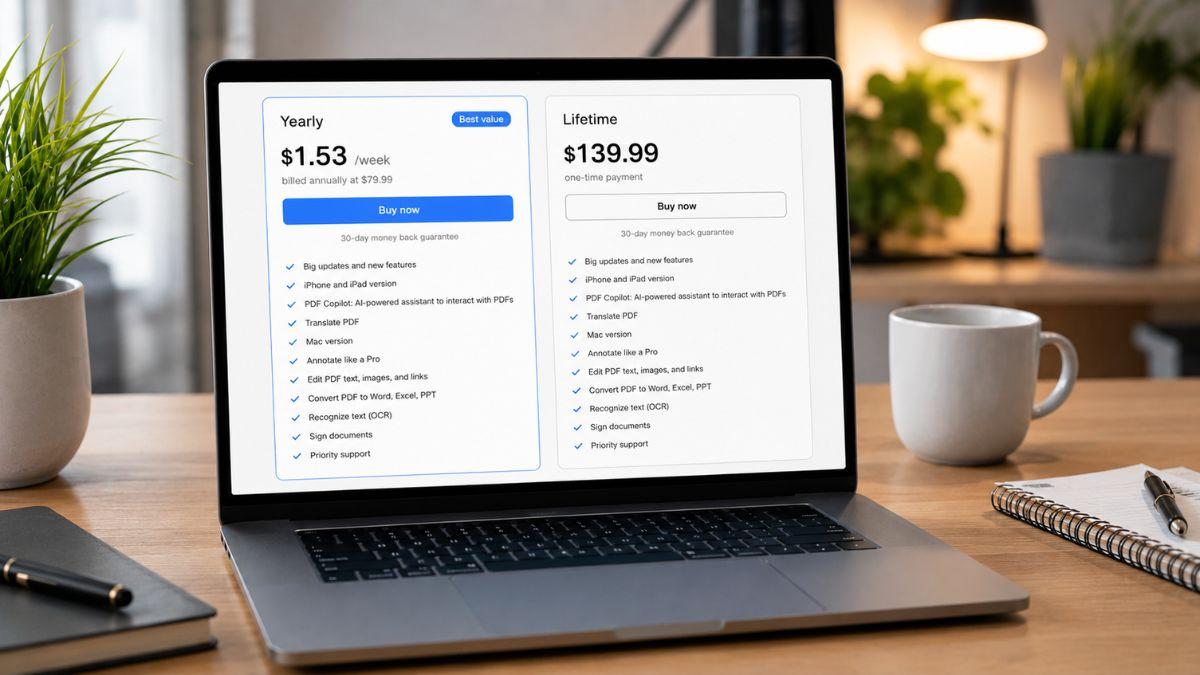
Premium Pricing
One common concern is cost.
If you only occasionally edit PDFs, a premium subscription or license may not provide enough value compared to free alternatives.
Feature Requirements Vary
Not every user needs advanced PDF functionality.
For example:
- Basic PDF readers may be sufficient for viewing documents.
- Simple annotation needs may be covered by free software.
- Some users rarely need editing or conversion tools.
Your return on investment depends heavily on how frequently you use the premium features.
Learning Curve
Although PDF Expert Premium is generally known for its user-friendly design, new users may still need time to become familiar with advanced features and workflow options.
Fortunately, most users can adapt quickly through regular use.
Key Features of PDF Expert Premium
PDF Expert Premium offers a strong combination of editing, annotation, signing, organization, and productivity features that can simplify document management for many users.
If you regularly work with contracts, reports, research papers, or collaborative documents, the software may help reduce repetitive tasks and improve efficiency.
However, occasional PDF users may find that free alternatives satisfy their basic needs. The best choice depends on your workflow, document volume, and reliance on advanced PDF tools.
If you’re looking for a more streamlined approach to handling PDFs, PDF Expert Premium is certainly worth evaluating as part of your productivity toolkit.
For more software recommendations, productivity tools, and thoughtful gift ideas for professionals, be sure to explore PDX Expert and browse its collection of helpful resources and product suggestions.